1
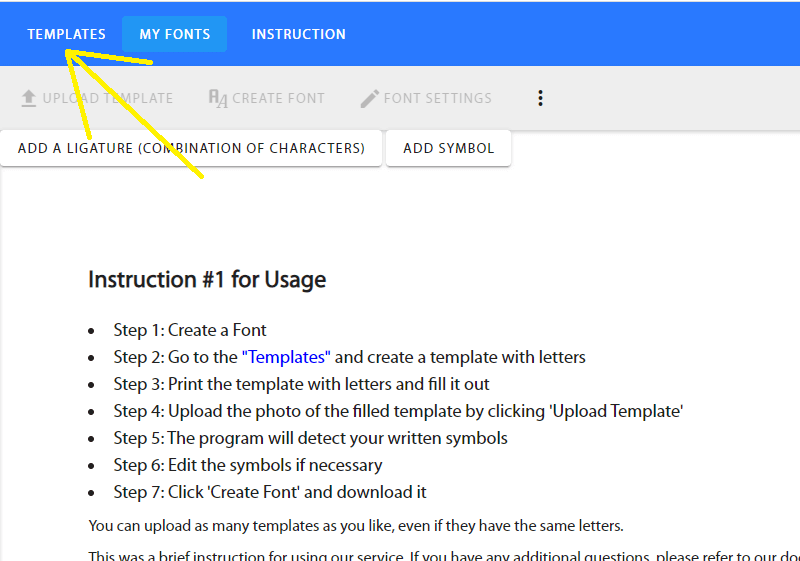
Go to the 'Templates' tab at the top of the website.
(the first 5 steps are the same as creating a font via template)
Go to the 'Templates' tab at the top of the website.
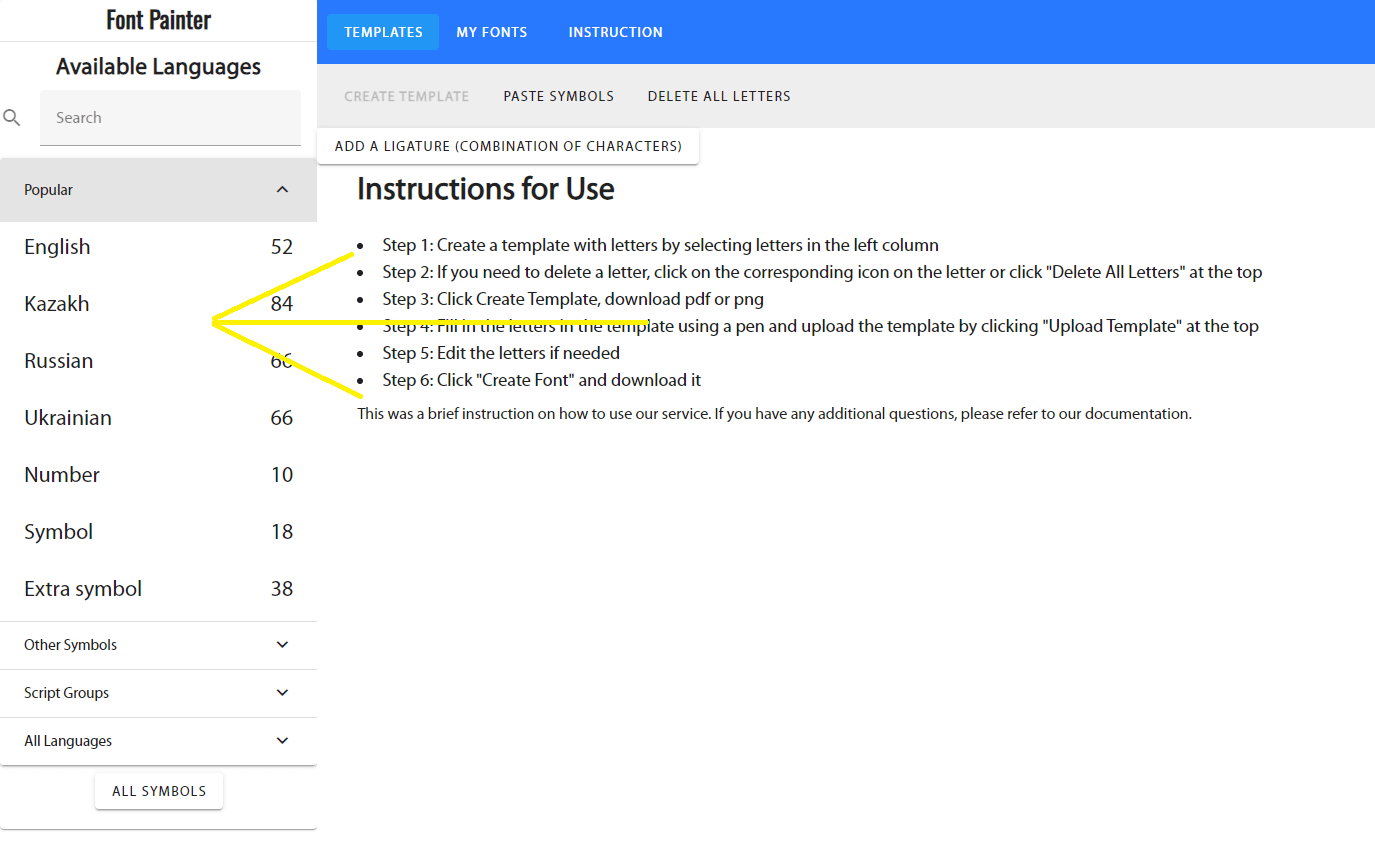
On the left, select your desired language and characters with numbers.
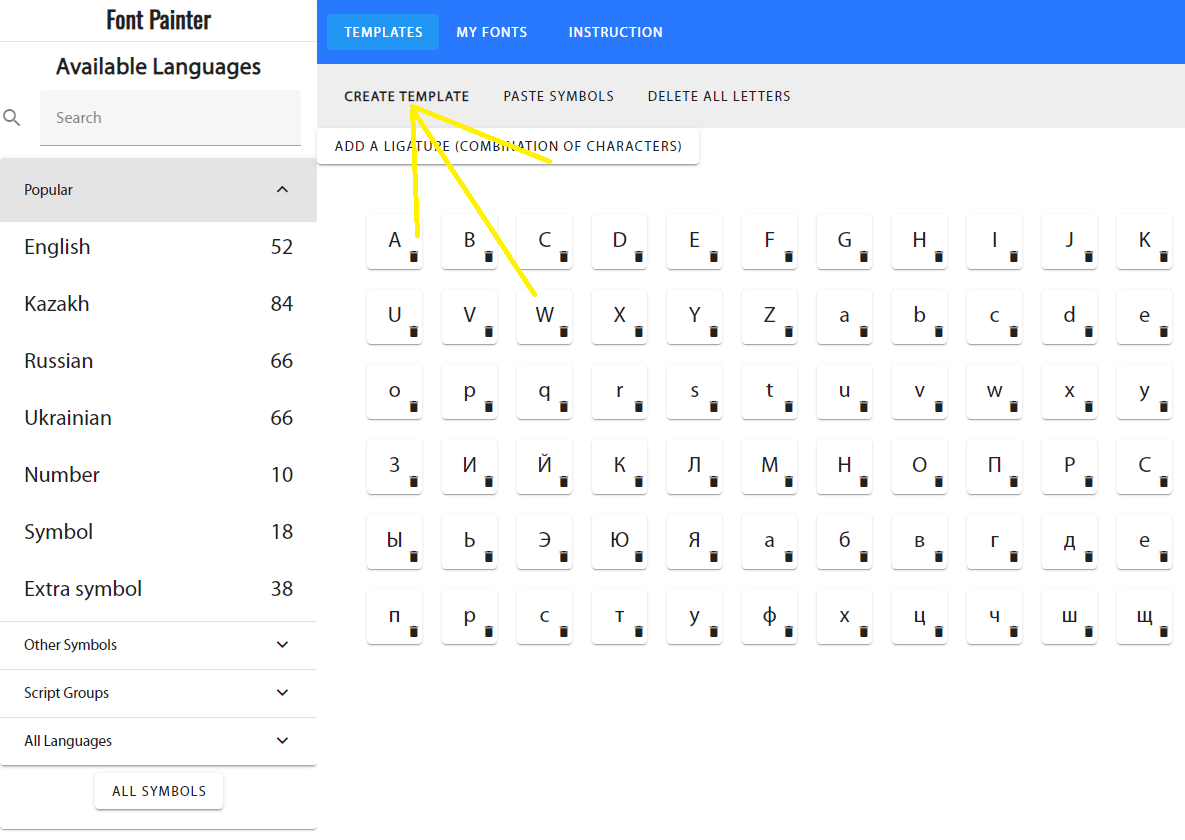
Click 'Create Template' at the top.
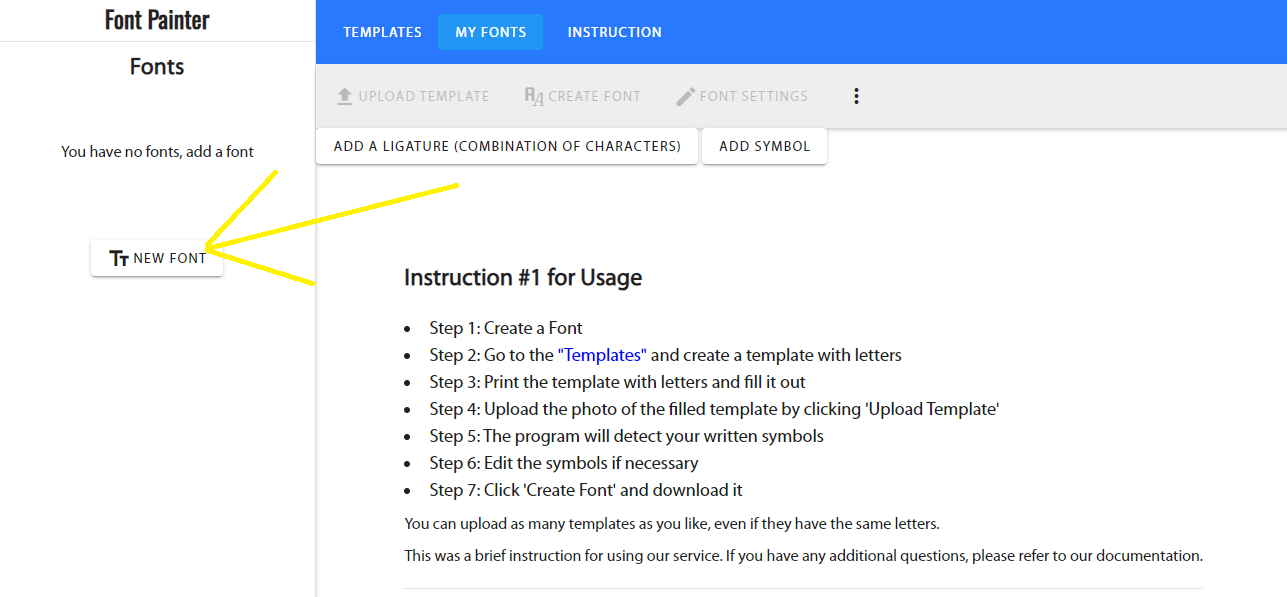
Go to the 'My Fonts' tab at the top of the site and create a new font.
Click at the top of the website and select View Templates
If you need to add a specific character, click Add Character
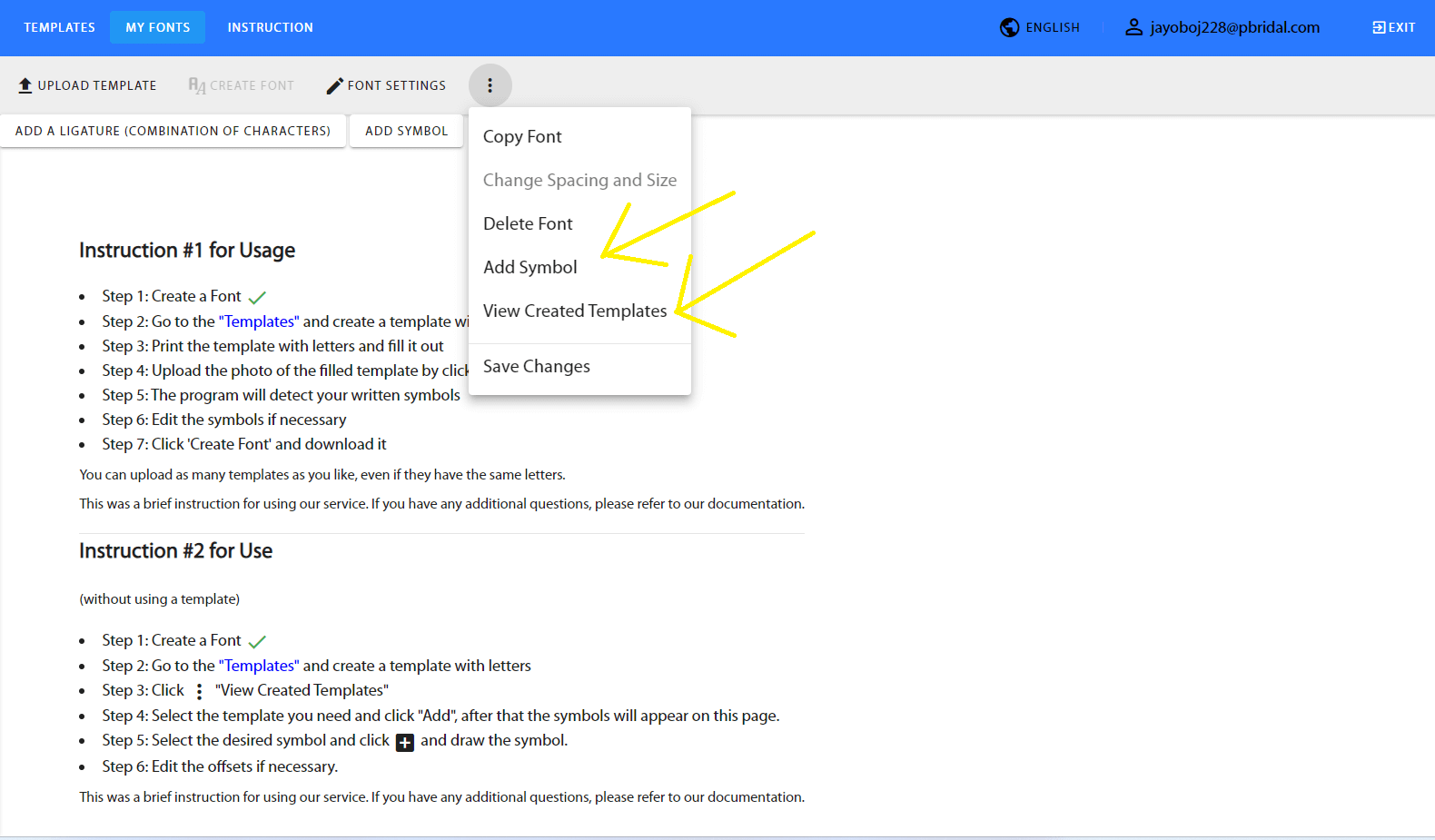
Select the template you need and click Add
After that, the template letters are added to the website
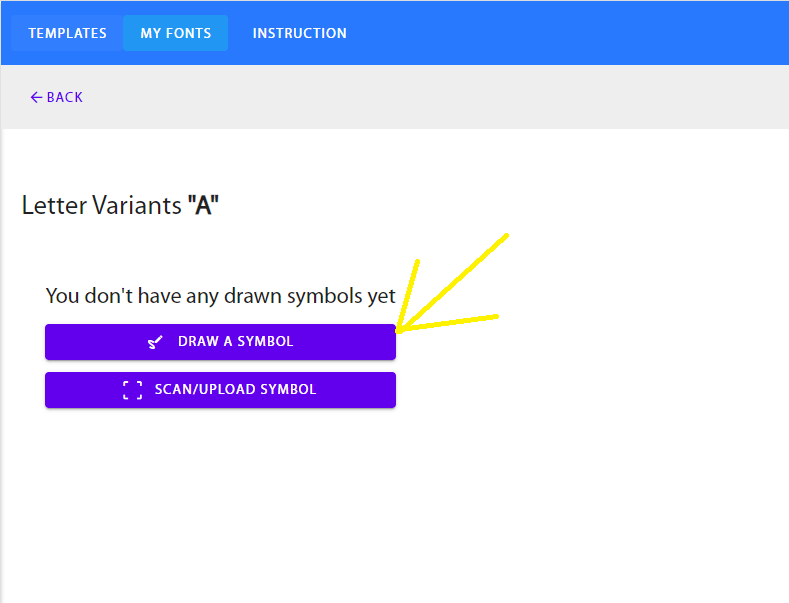
Click on the letter you want to create and then click Draw Character
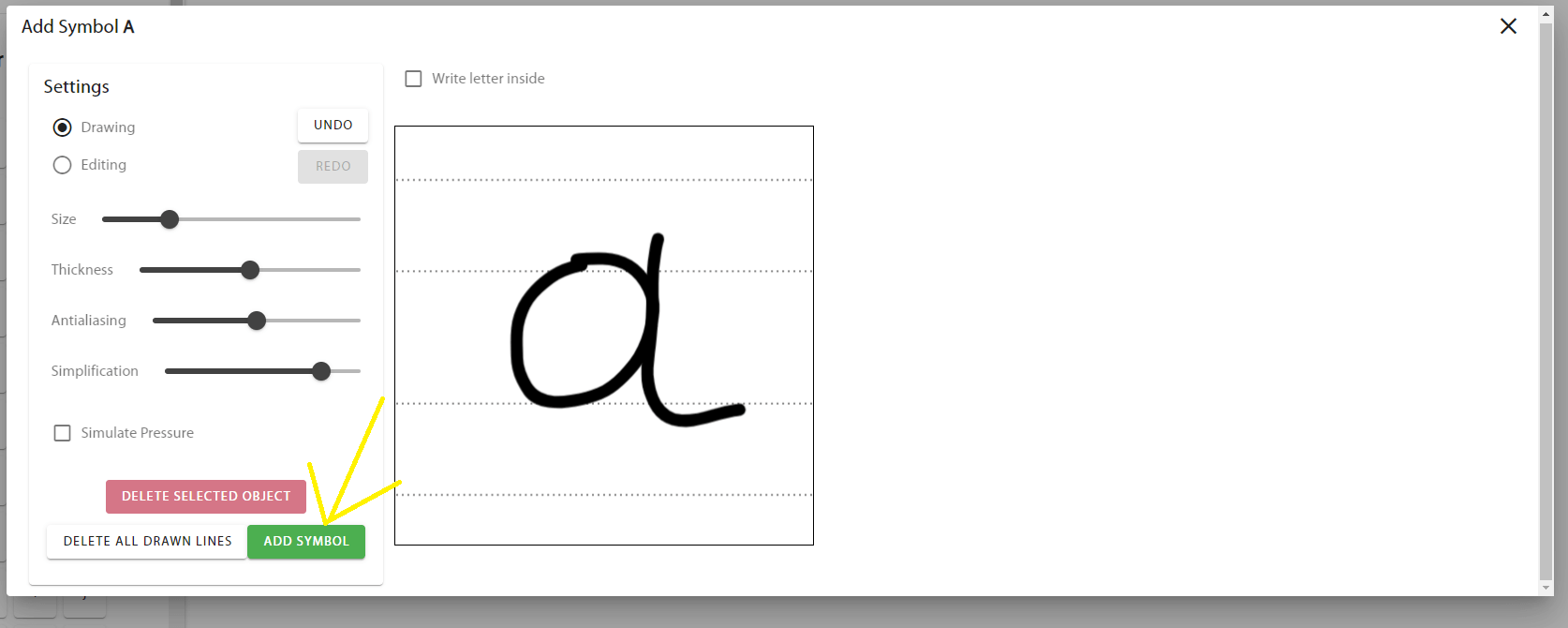
Draw the finished letter and click Edit Character
Click Click
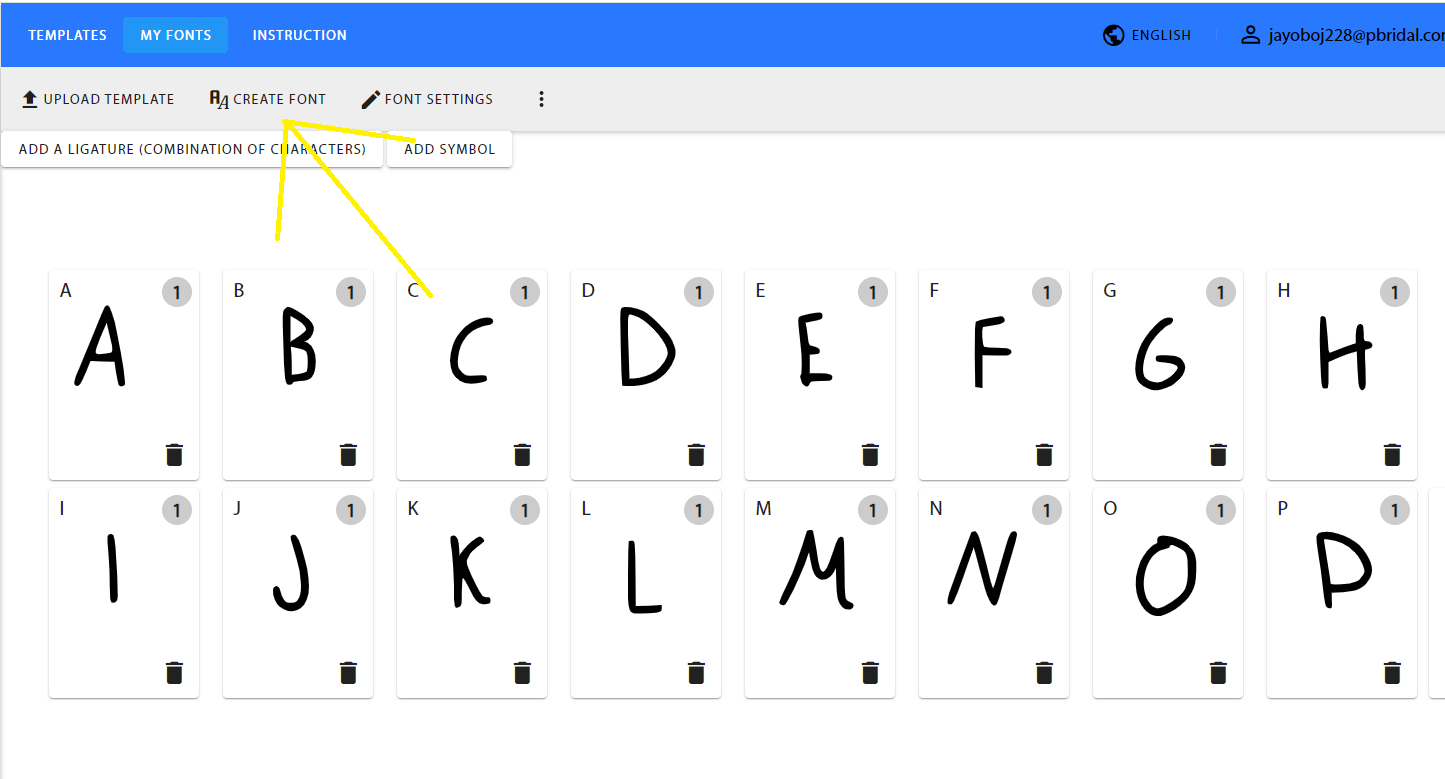
Download the finished font