1. Prepare the source material
We will use kinetic energy. A mass of 1 kg moving at 2 m/s has 2 J of kinetic energy. This is a short formatting example; check the calculation before inserting it.
Kinetic energy
E_k = m · v² / 2
For m = 1 kg and v = 2 m/s, E_k = 2 J.
2. Insert the LaTeX expression
Place the cursor after the explanation and open the math formula editor. On the main tab, choose an example or paste the expression below. The \frac command creates a fraction; _ adds a subscript and ^ adds a power.
E_k = \frac{m v^2}{2}3. Match fonts and size
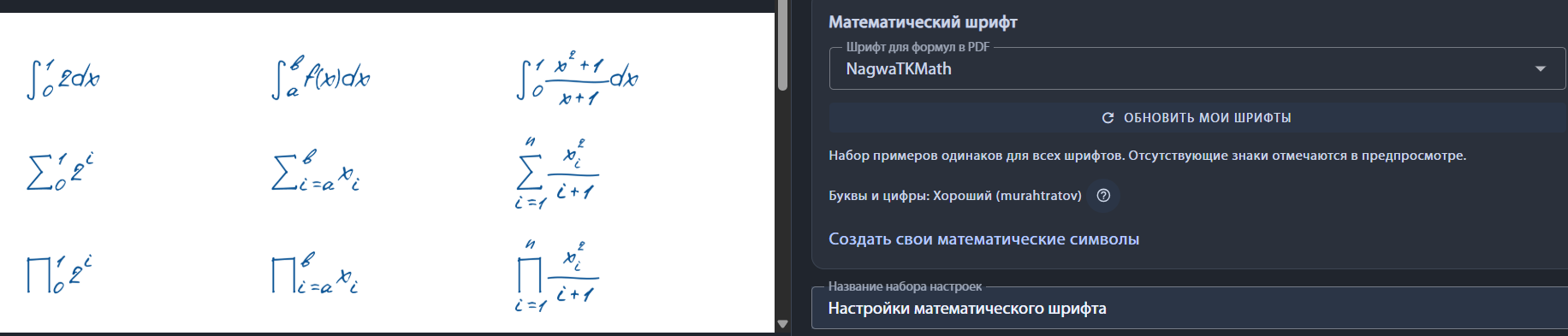
Open the formula settings. Letters and digits use the main text font; special signs use the mathematical font. Check sizes, thickness and spacing in the example. If there is a missing-character warning, choose another font or add the character to your own set.
- Check the fraction bar, power and subscript.
- Compare the expression’s size with the surrounding text.
- Insert the formula and check its position on the complete page.
4. Add a table and check the page
Add a table in the text editor and enter these values. After generating the page, check column widths, table borders and any page break.
- Include units in the column headings.
- Inspect both the formula and table in the finished document.
- For printing, download the PDF and test one page.
| Mass, kg | Speed, m/s | Energy, J |
|---|---|---|
| 1 | 2 | 2 |
| 1 | 3 | 4.5 |
| 2 | 2 | 4 |
Questions and answers
Does this example need AI?
No. You can enter LaTeX manually. Asking AI to create an expression is a separate operation that uses AI credits.
Why do some symbols look different?
Letters and digits use the main font, while special signs use the math font. Check the selected pair and its settings.
Can I edit an inserted formula?
Select the formula in the text to open its context controls for editing. Check the page again after making changes.