← All resources

Handwrittner

Update archive

The Handwrittner story: every announcement and short product update.

Product

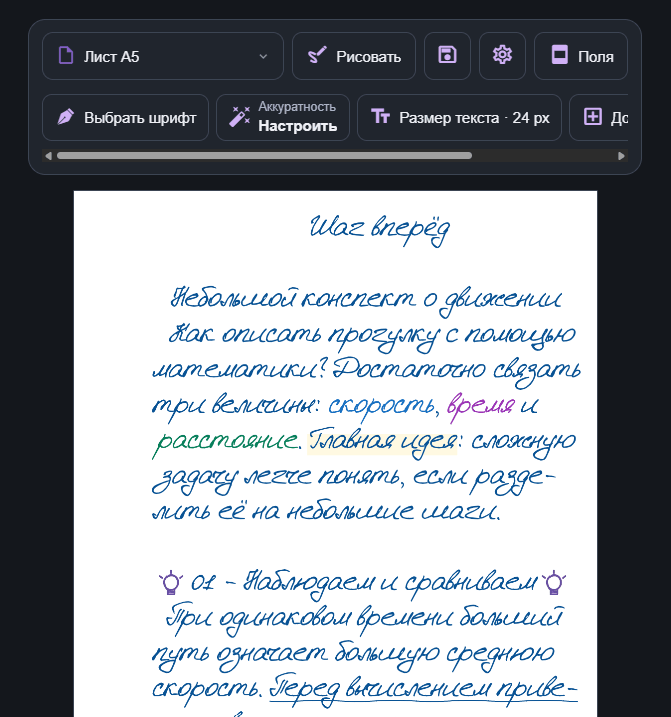
Handwrittner Live mode: edit your finished notes

Handwrittner Live mode: edit your finished notes

Create your notes once and fine-tune them in the preview. Adjust the handwriting, background and margins, or add signatures, graphs and drawings to finished pages.

  • Adjust handwriting, templates, ruling and margins in the preview.
  • Add text, signatures, page numbers, images and graphs to a finished page.
  • Draw on the PDF and mark important passages in the text editor.
Read more · Russian original →
Printing & PDF

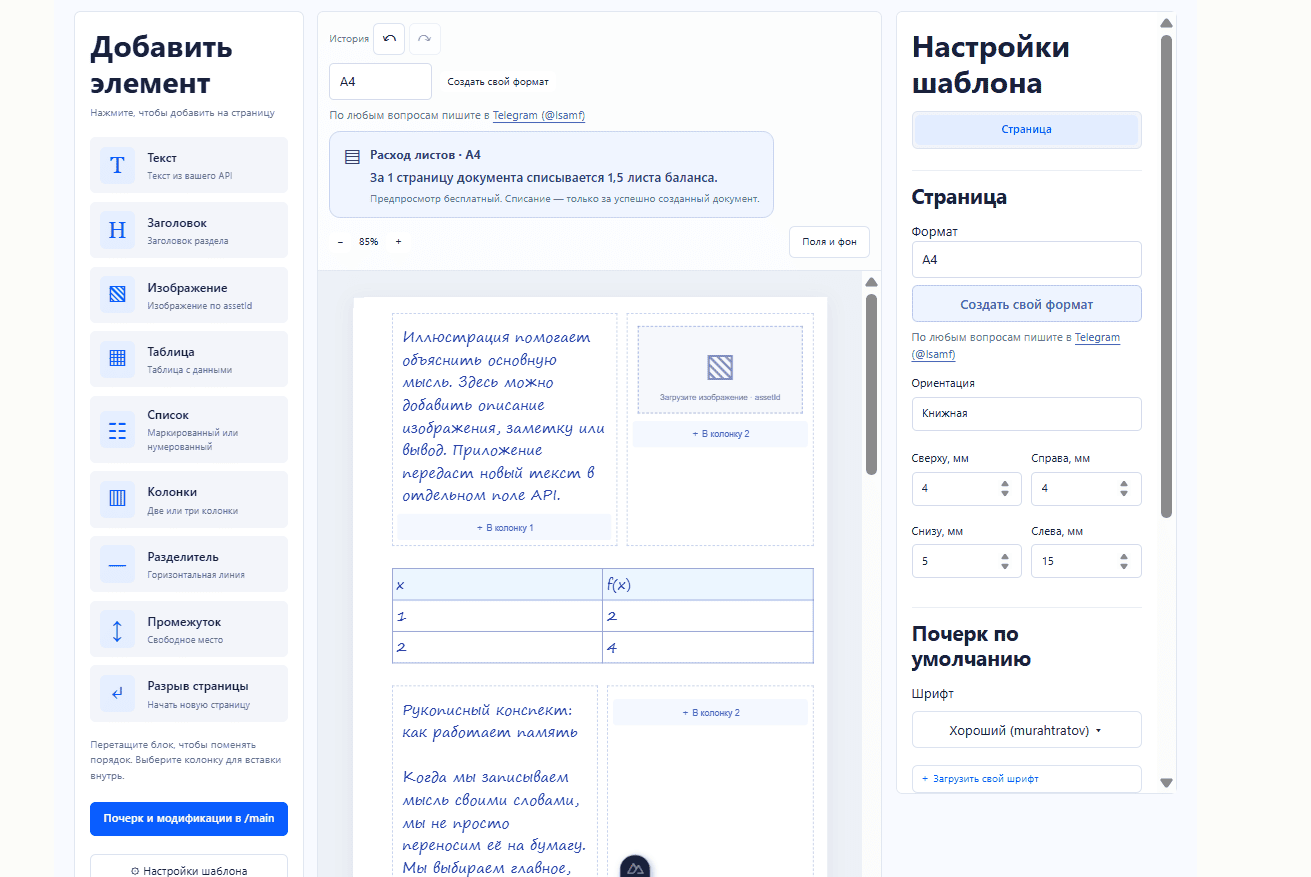
New PDF template editor and dark theme

New PDF template editor and dark theme

Prepare PDFs for your notebook or form: choose a template, upload your own, add fields and fill them in the text editor. The dark theme makes evening work more comfortable.

What changed

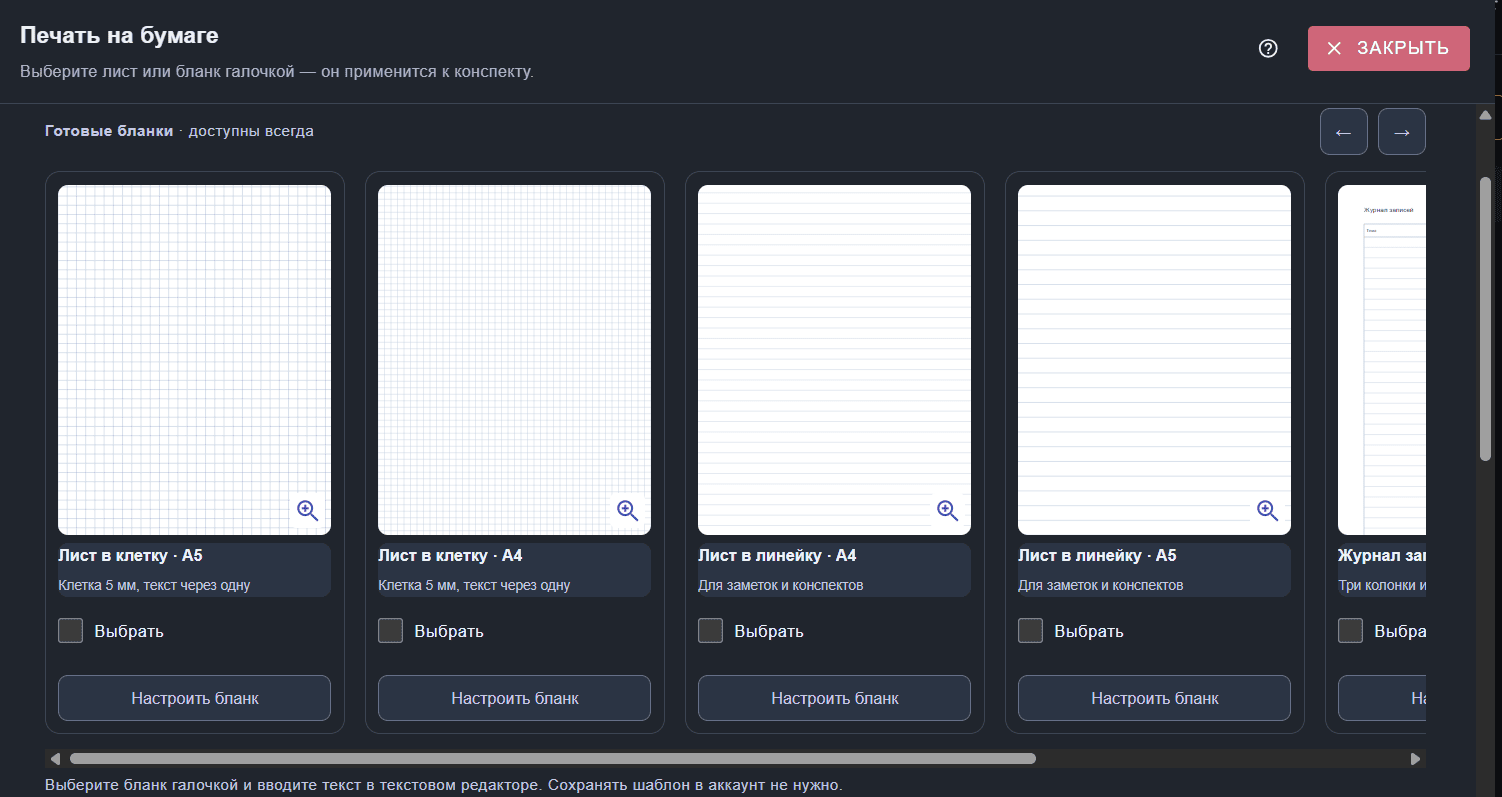
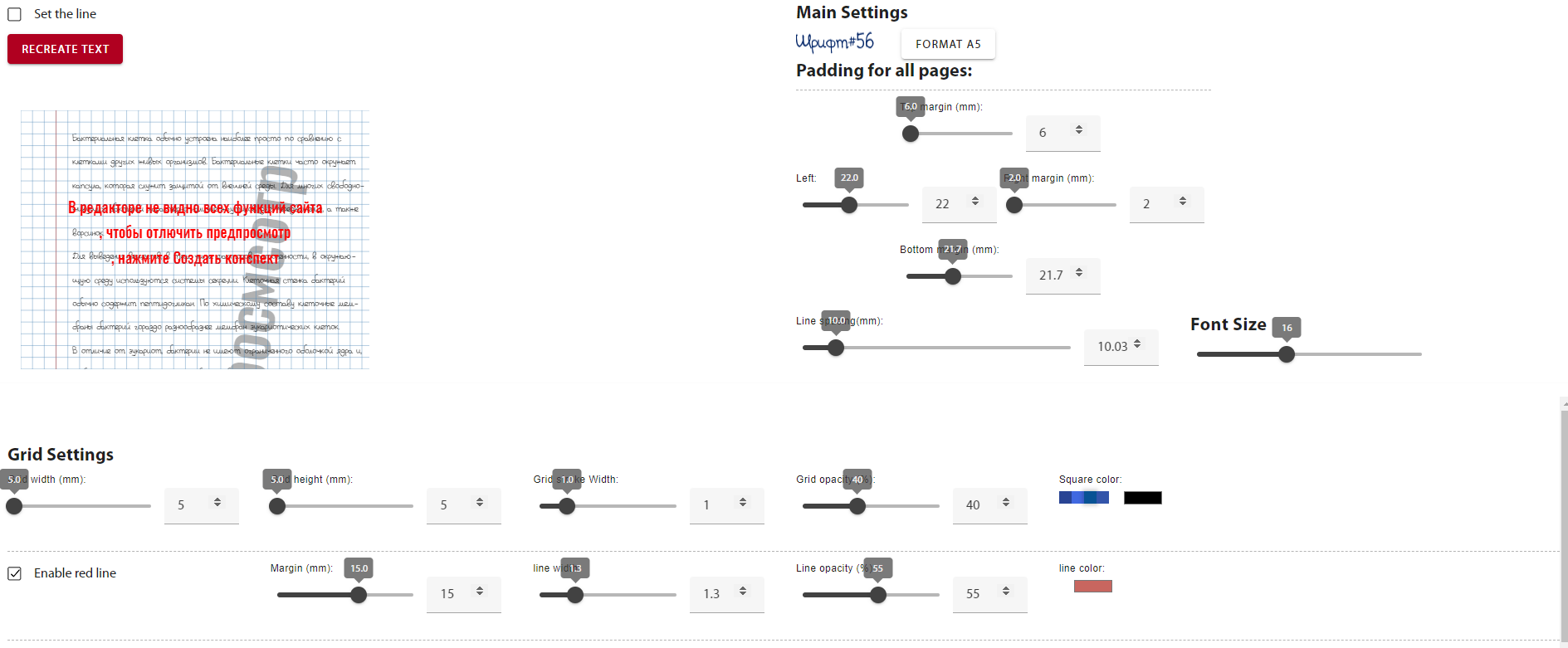
  • Set up A4 and A5 printing for your notebook.
  • Choose ready-made templates with matching settings.
New PDF template editor and dark theme
Feature preview. The screenshot shows the Russian interface.
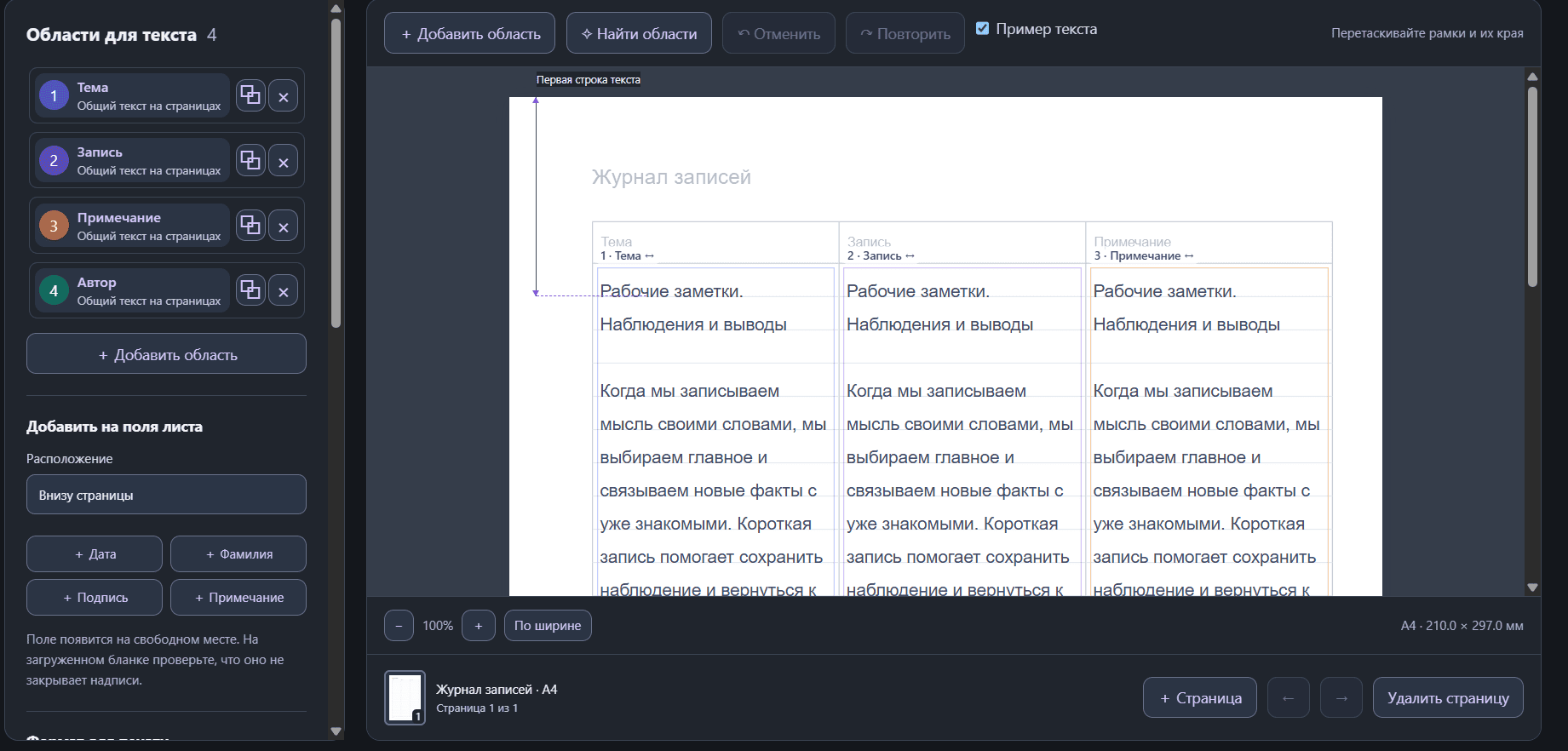
  • Place text fields anywhere on the page and fill them in Tiptap.
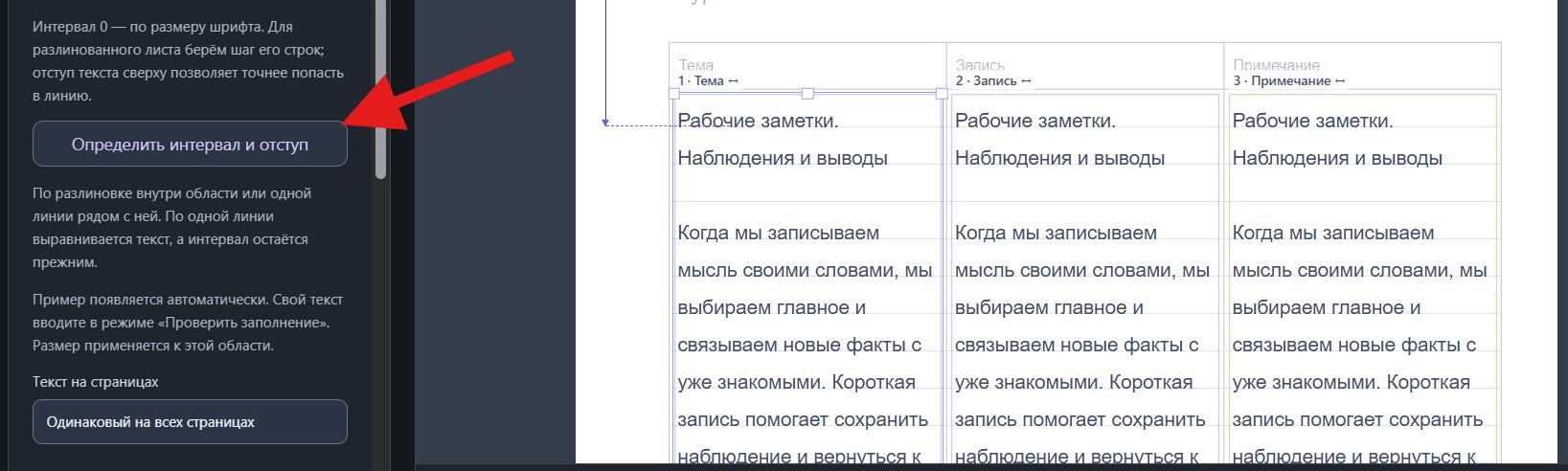
  • Detect line spacing and the top margin automatically.
  • Upload images and PDFs and find their text fields.
  • Use the new dark theme with a saved appearance preference.
New PDF template editor and dark theme
Feature preview. The screenshot shows the Russian interface.
Read more · Russian original →
Photos & Mesh

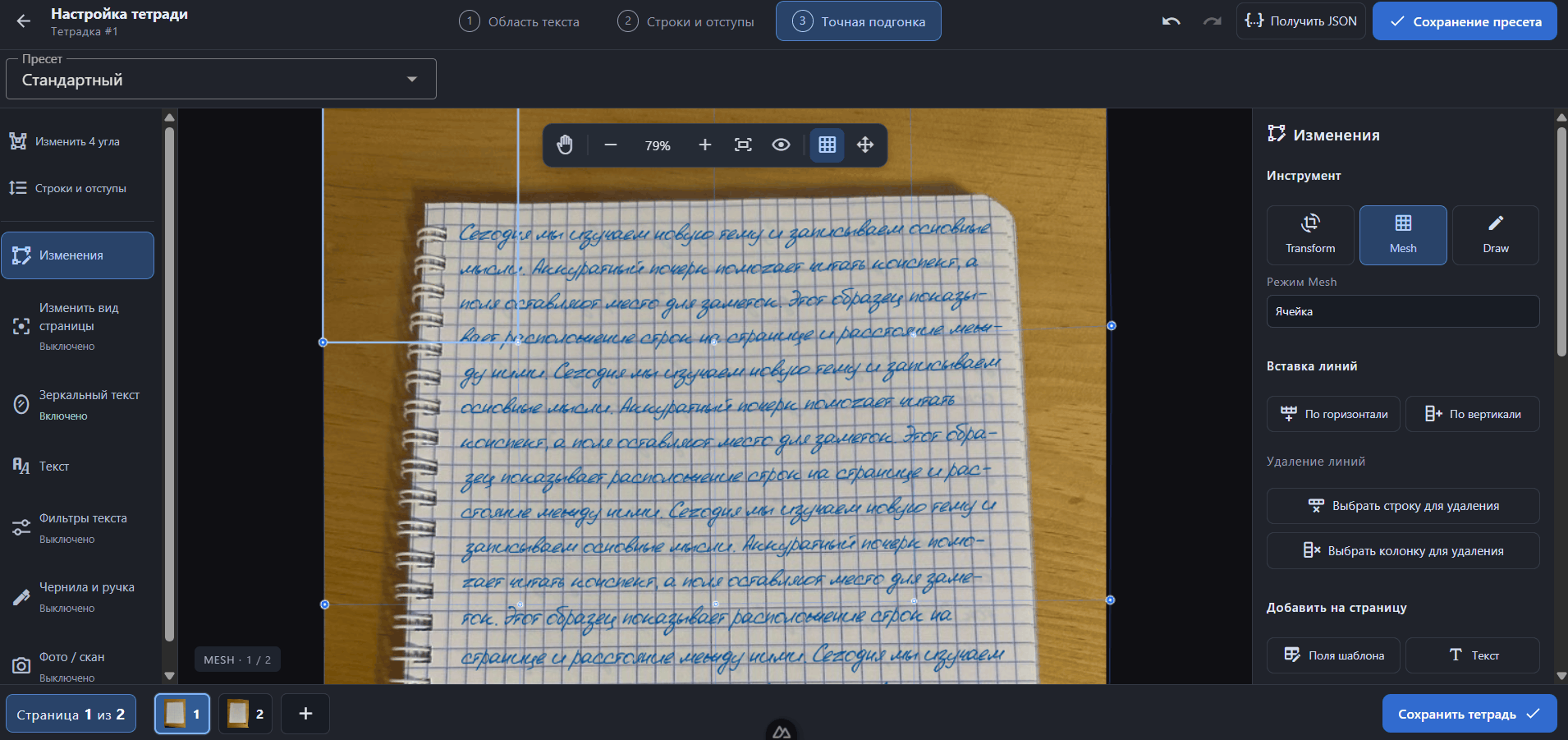
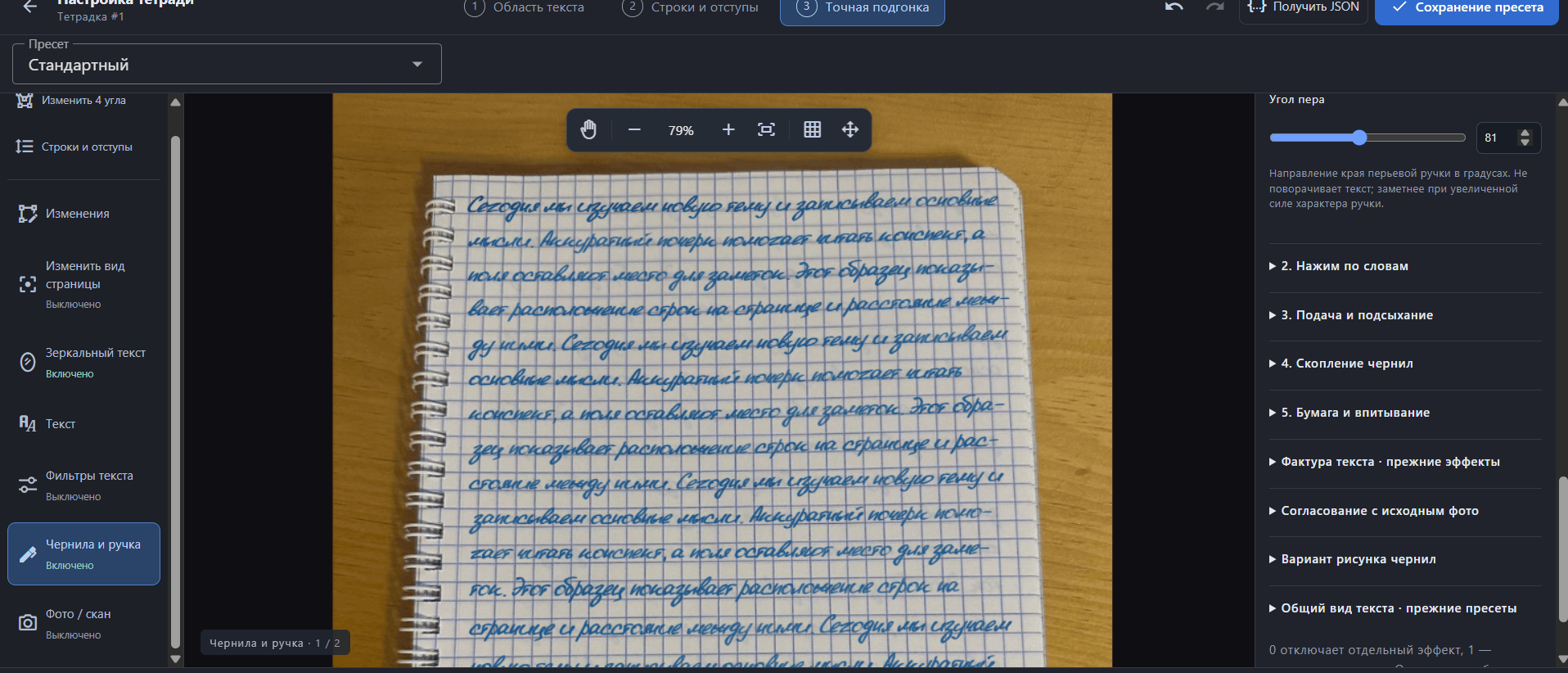
Mesh update: ink effects, photo effects and notebook setup

Mesh update: ink effects, photo effects and notebook setup

A redesigned Mesh editor with pen and paper effects, photo and scan processing, quick adjustments and tools for fitting text to your background.

What changed

  • Writing presets and detailed ink, pressure and paper texture settings.
  • Photo effects and scan cleanup with ready-made presets.
Mesh update: ink effects, photo effects and notebook setup
Feature preview. The screenshot shows the Russian interface.
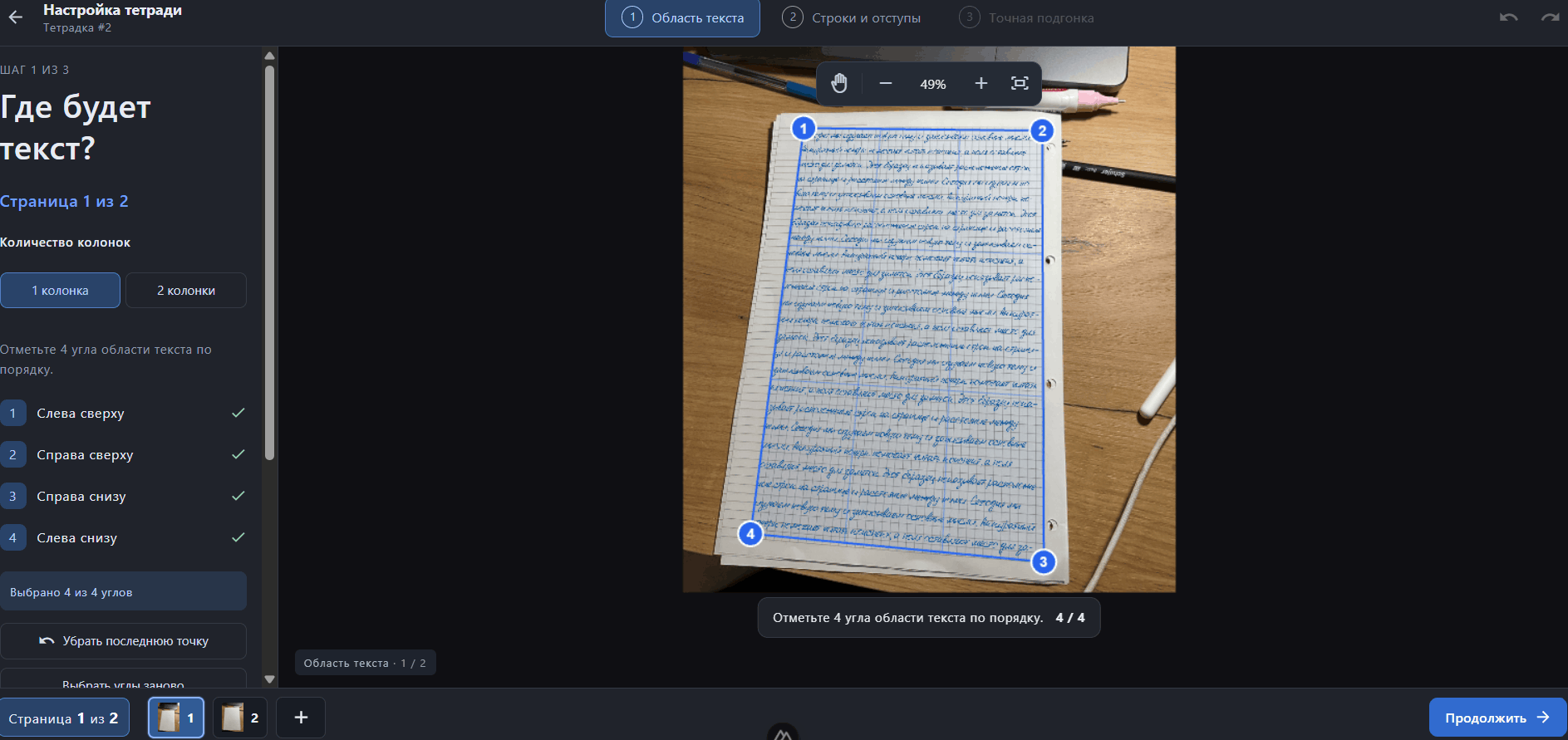
  • Adjust effects after generating your notes.
  • Set up a custom background using four corners, lines and Mesh.
  • Arrange text in two columns.
Mesh update: ink effects, photo effects and notebook setup
Feature preview. The screenshot shows the Russian interface.
Read more · Russian original →
API

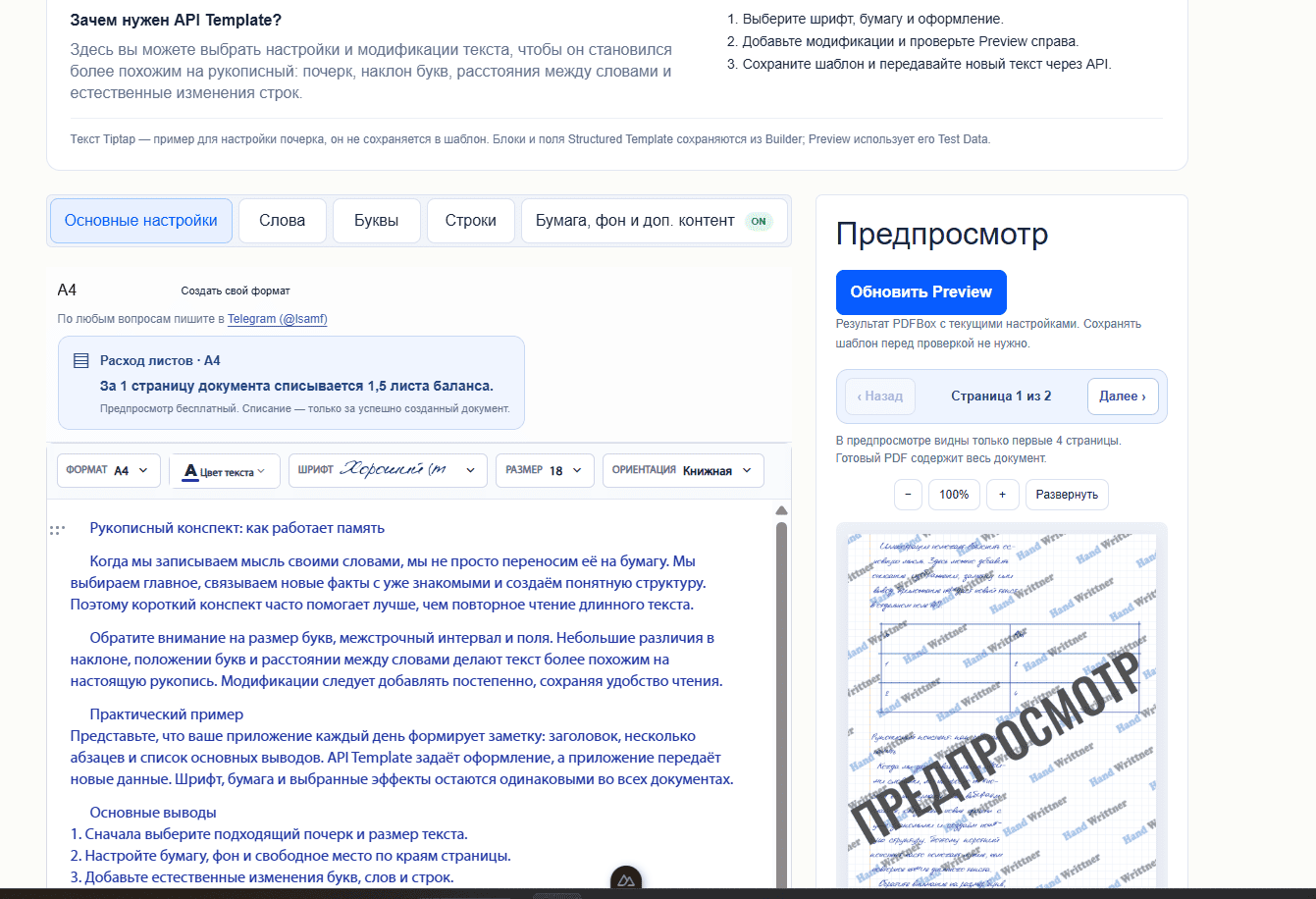
Handwrittner Public API: handwritten documents from your application

Handwrittner Public API: handwritten documents from your application

Build templates with text, tables, images and columns, configure handwriting in the full editor and send new data through the API. Reuse one template for many documents.

What you can do

  • Create structured templates or documents from plain text.
  • Use your font and word, letter and line modifiers.
Handwrittner Public API: handwritten documents from your application
Feature preview. The screenshot shows the Russian interface.
  • Configure paper, margins, paragraph indents and custom sizes up to A3.
  • Copy complete API examples, including retrieving the PDF.
  • Explore request examples for lists, images, tables and columns.
Read more · Russian original →
Your handwriting

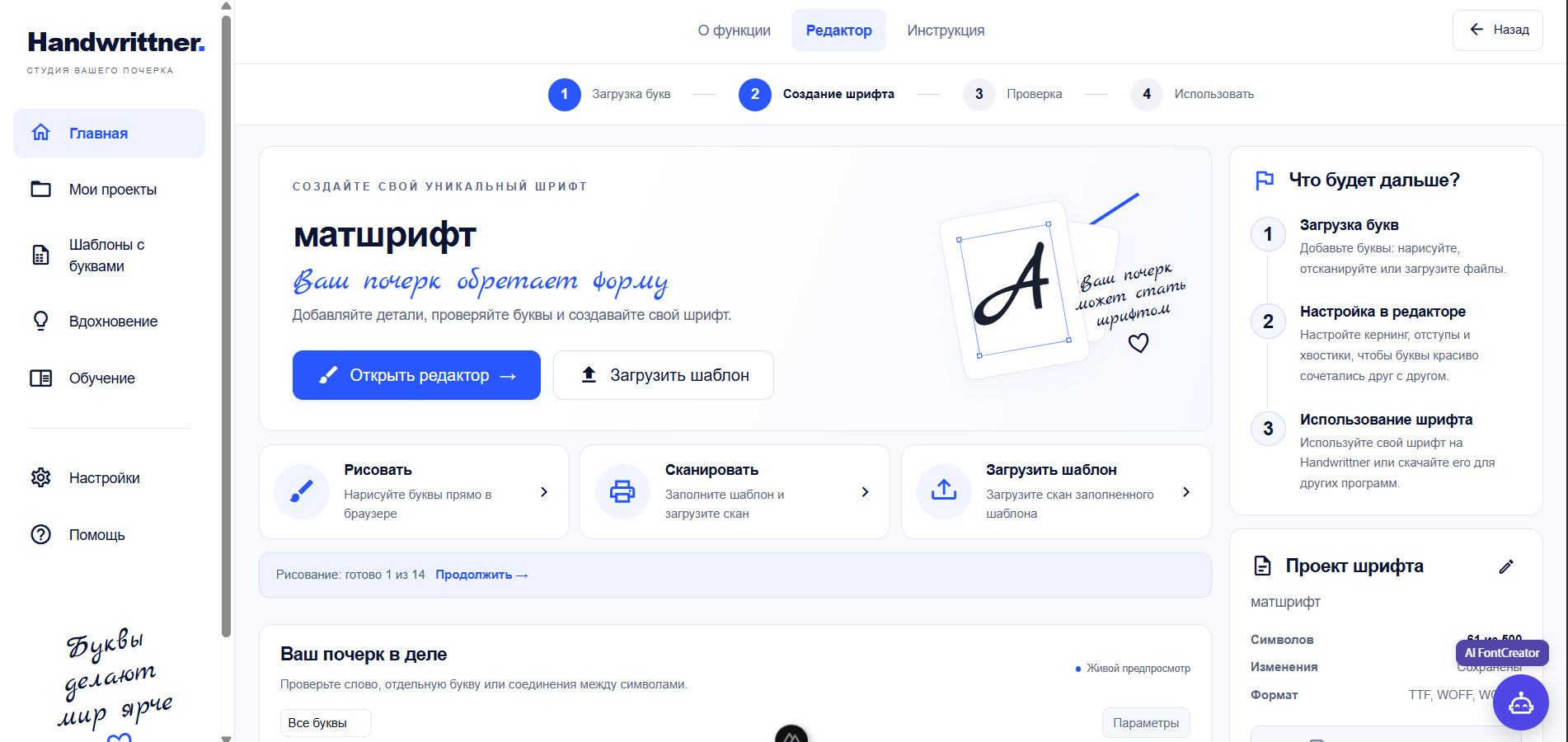
FontCreator update: from your first letter to your own font

FontCreator update: from your first letter to your own font

A new editor, smoother drawing, outline tools, kerning and letter connections make it easier to create handwriting, transfer it from paper and use it in Handwrittner.

What changed

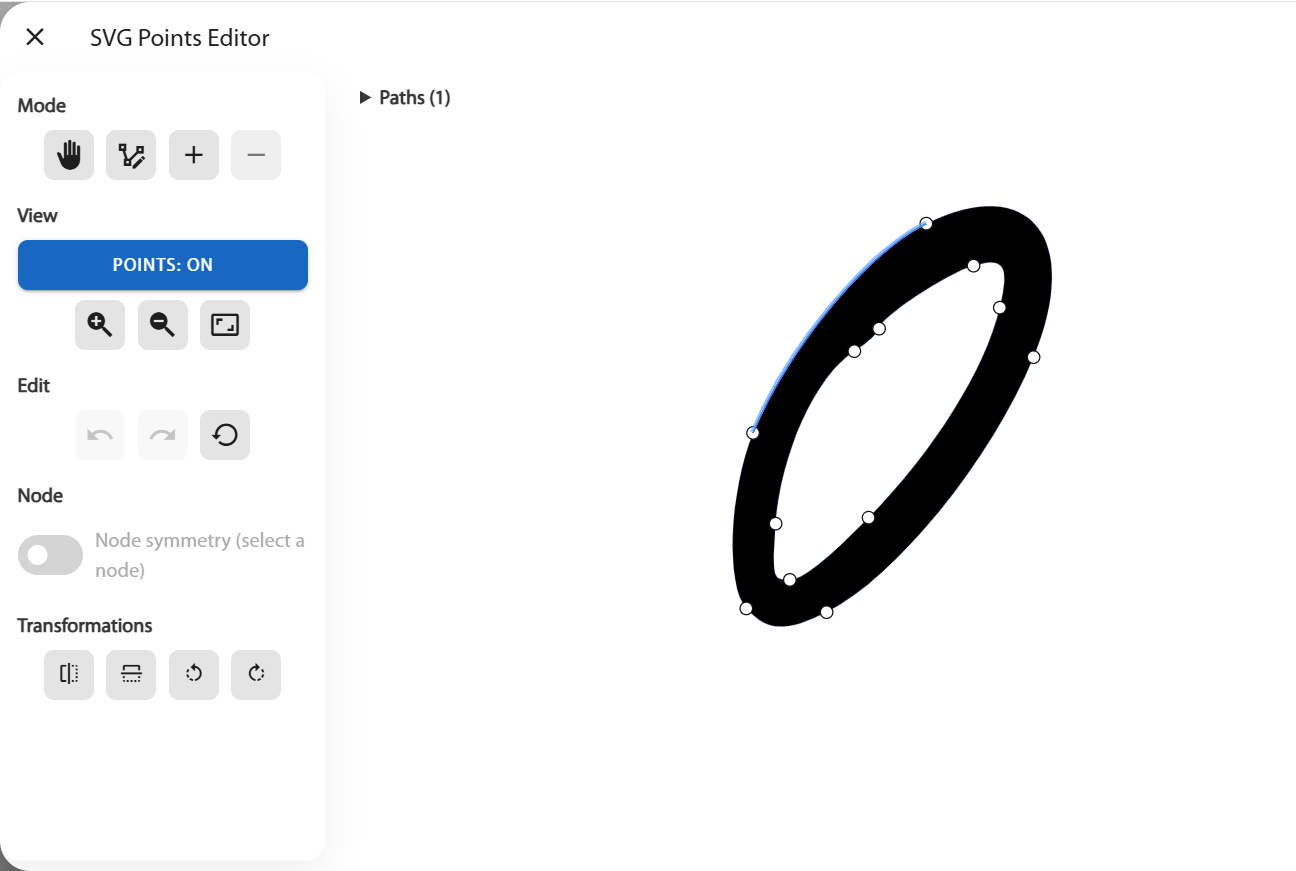
  • Edit multiple SVG points, clean up and simplify outlines.
  • Draw in the new editor and complete character sets in order.
FontCreator update: from your first letter to your own font
Feature preview. The screenshot shows the Russian interface.
  • Use manual or automatic kerning and connections between letters.
  • Work with updated templates, the scanner and individual character uploads.
  • Use the AI assistant, manage projects and refresh fonts in the text editor.
Read more · Russian original →
Product

The major Handwrittner 2026 update

The major Handwrittner 2026 update

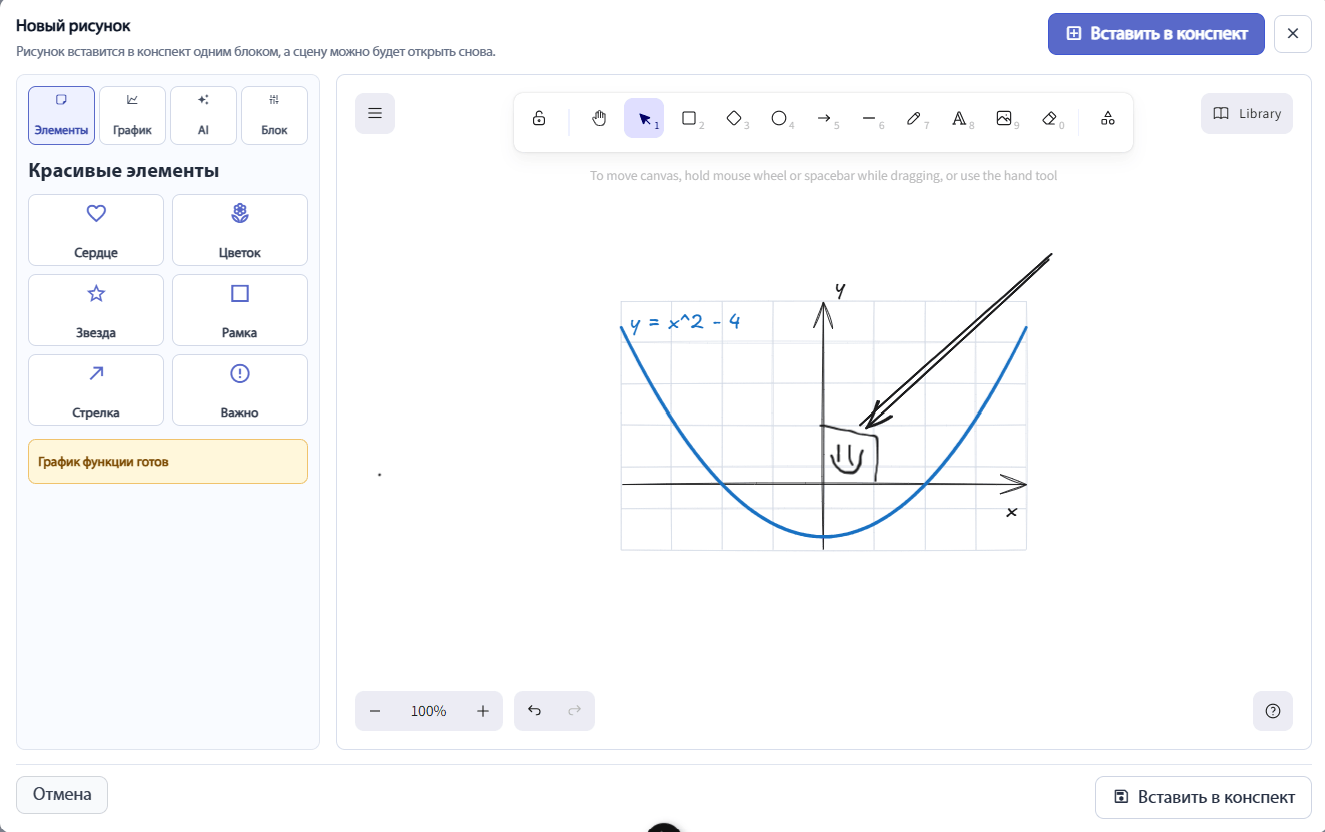
AI tools, redesigned modifiers, Excalidraw, OCR, document import, new tables, formulas and version history.

Main changes

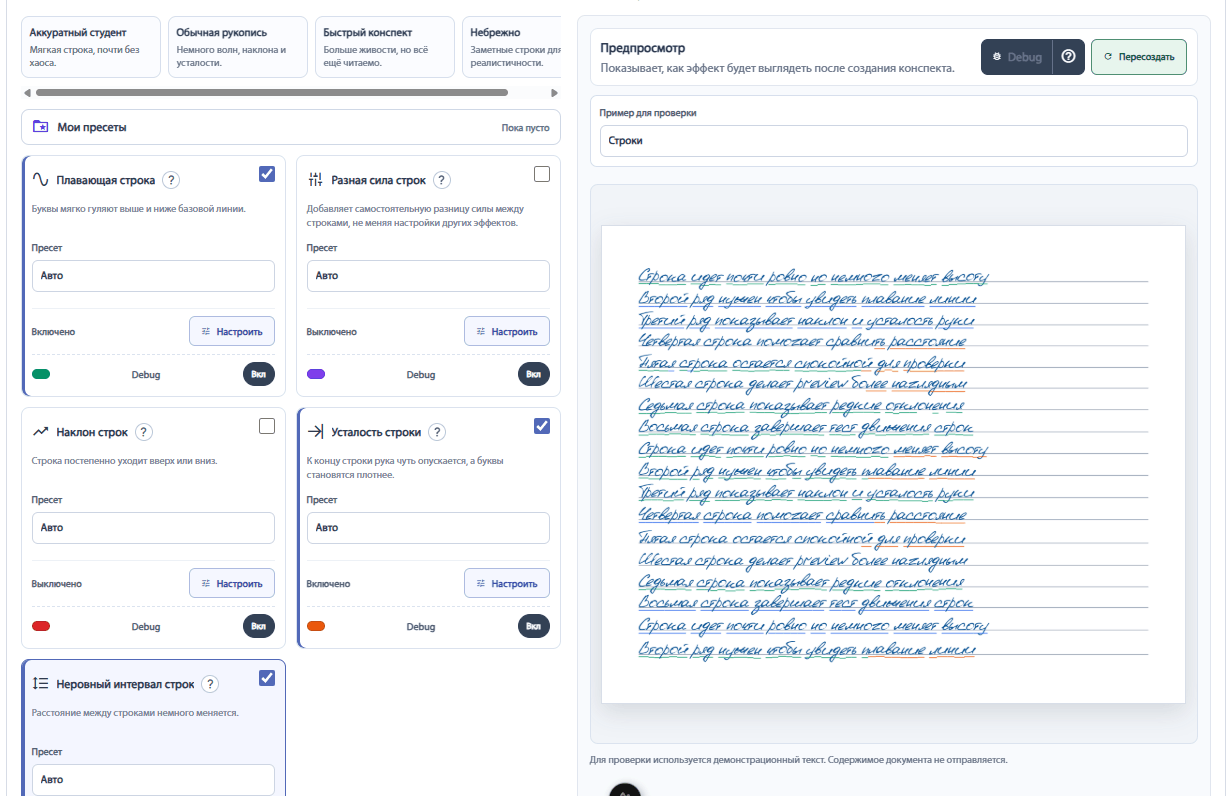
  • AI tools for text, notes, tables, diagrams and formulas.
  • New word, letter and line modifiers with previews and presets.
The major Handwrittner 2026 update
Feature preview. The screenshot shows the Russian interface.
  • Excalidraw, wrapped and inline images, and new additional content.
  • Updated OCR, document import, tables and mathematical symbols.
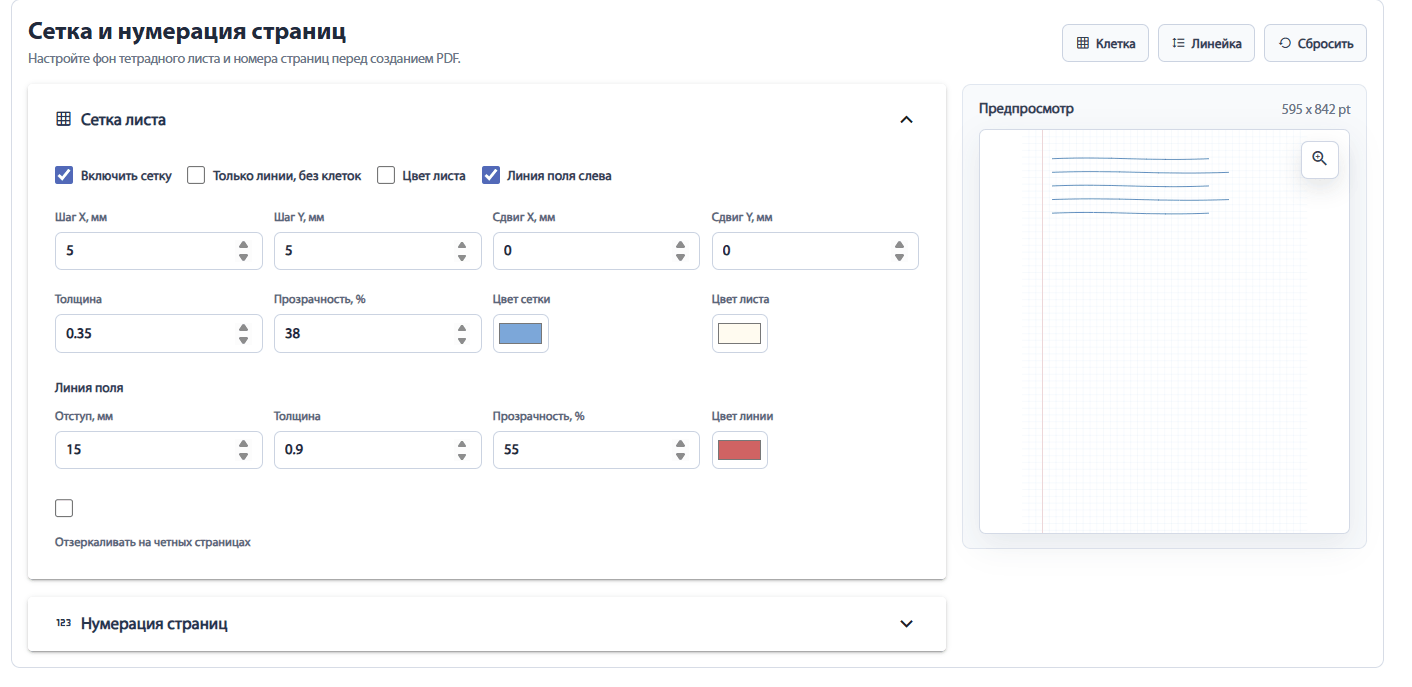
  • Version history, grid editors and page numbering.
The major Handwrittner 2026 update
Feature preview. The screenshot shows the Russian interface.

A refreshed design, improved stability and bug fixes.

Read more · Russian original →
Photos & Mesh

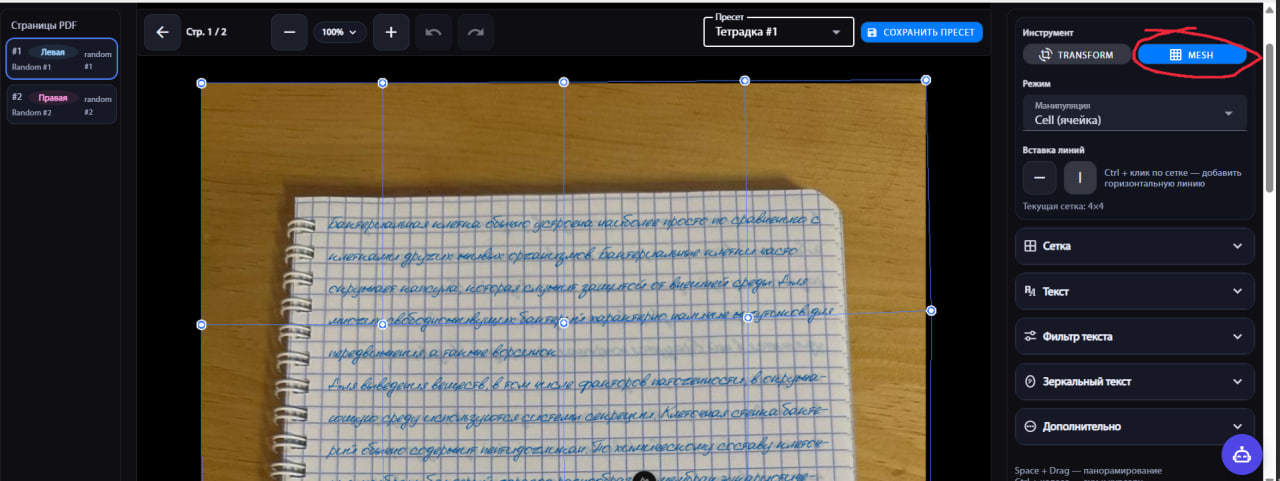
A new editor for placing text on photos

A new editor for placing text on photos

Editor features

  • Transform: scale, rotate and position text.
  • Mesh: adjust nodes, insert lines and use a fine grid and deformation modes.
  • Mirrored text: show a mirrored version of the next page.
  • Text filters: make writing look natural on paper.

A refreshed design, fewer unnecessary controls and bug fixes.

Your handwriting

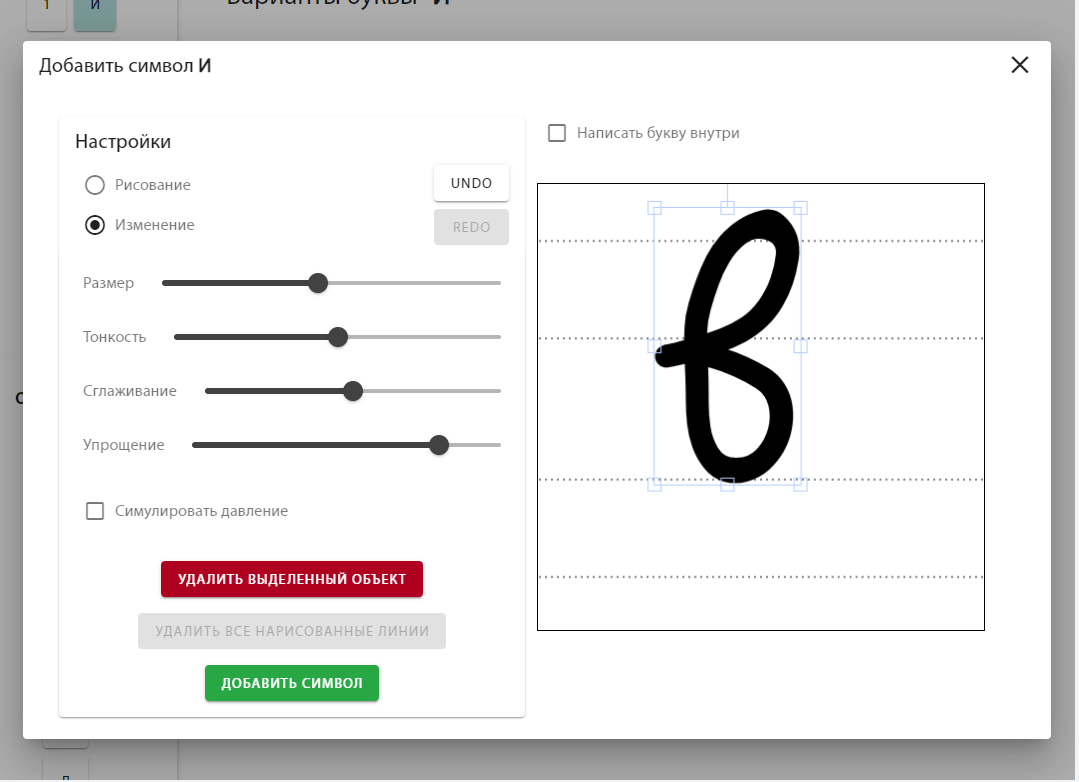
SVG editing in the font creator and other changes

SVG editing in the font creator and other changes
  • Edit your letters in the new SVG editor.
  • An updated homepage design.
  • An updated chatbot design.
AI

An AI support assistant

An AI support assistant

An AI-powered support chat joins the website

  • Ask questions about the website and receive an immediate answer.
Your handwriting

Create your own handwriting font

Create your own handwriting font

Turn your handwriting into a font

  • Upload a photo of a template filled in by hand.
  • Draw letters on the website.
  • Scan a single handwritten letter.

Rebuilt with Nuxt 3

  • Smoother page loading.
  • Improved search engine optimization.
Read more · Russian original →
AI

Rewrite text with AI

Rewrite text with AI

AI tools added to the website

  • Rewrite text with AI.
  • Shorten text with AI.
Product

Text recognition

Text recognition

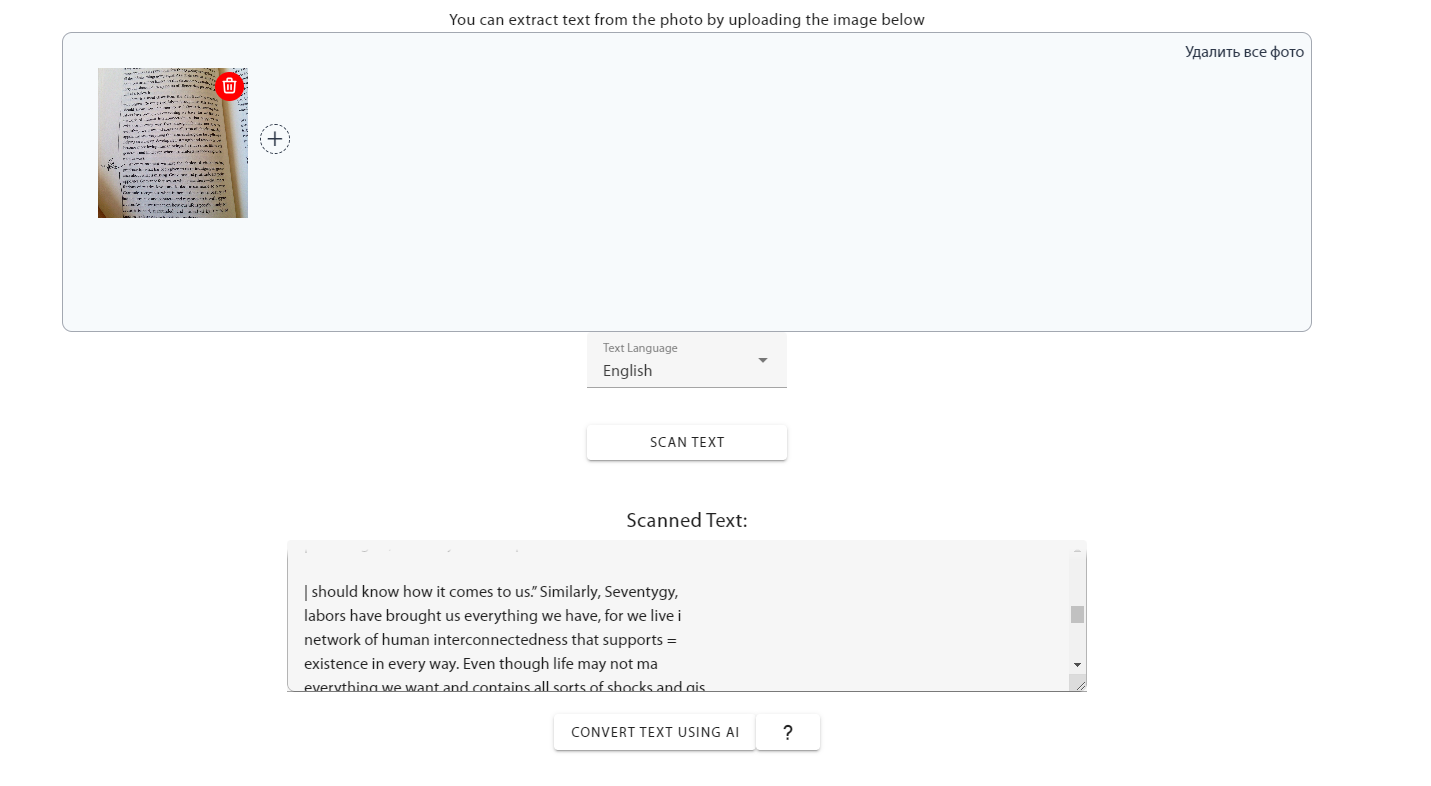
Recognize text in a photo.

Use AI to transform text extracted from a photo.

Product

Version 3 update

Version 3 update

New features

  • A background editor.
  • Quick settings preview.
  • Quick preview of zigzag and raised-letter effects.
  • An editor for adding handwritten marks and text to notes.
  • A grid editor.
  • Save a regular background or a background for multiple pages.
  • Set different line spacing for odd and even pages.

An updated design with unnecessary controls removed.

Read more · Russian original →